Need Technology Assistance?

Appointments are available to book assistance on specific topics. Follow the link, scan the QR code, or call to see if there’s an appointment available.

ACPL Digital

Thanks to a grant supporting adult digital literacy, the library is expanding access to technology, learning tools, and hands-on instruction for adult learners in our community. This initiative includes free Udemy access, Chromebook lending, and increased in-person computer classes at our library locations.

Borrow a Chromebook for Home Use
Adults can check out a Chromebook to learn new skills, access online courses, and build digital confidence. To participate, follow these steps:

  1. Schedule a Chromebook Orientation
    All first-time borrowers must attend a brief orientation session with a librarian.
    • Set up your Chromebook orientation meeting here.

During orientation, you’ll learn how the lending program works, what your loan includes, and how to use the Chromebook confidently at home.

  1. Request a Device After Orientation
    Once you’ve completed your orientation, you may request a device based on your needs:
    • 28-Day Chromebook Request
    • 7-Day Chromebook Request

Keep Learning with Udemy
With your library card, you also get free access to Udemy’s wide range of self-paced online courses, including computer basics, workplace technology, productivity tools, creative software, and much more.

More In-Person Computer Classes
For learners who prefer guided instruction, the library now offers more frequent computer classes at multiple locations. Check out the calendar here.

Technology at the Libraries
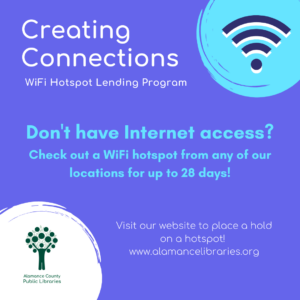
Creating Connections WiFi lending program

ACPL is proud to offer the following technology for patrons to check-out and use at home.

Hotspots

For a 28 day check-out. We offer devices from two different mobile providers, if you don’t get service with one, try the other!

Launchpads for All Ages
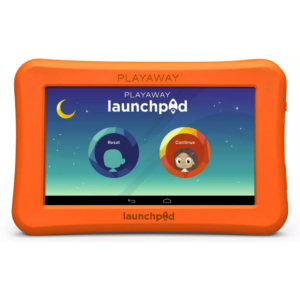
LaunchPads are educational tablets with pre-loaded themed content. Subjects are available for all ages. They do NOT require wi-fi or Internet to function. Great for travel or just anything you want your family to be able to play learn without worrying about what else they might be accessing online.

Chromebook Laptops


Chromebook Laptops are available for use inside our libraries. Want to sit at your own table or in one of our new comfortable seating options? Ask for a Chromebook at the desk! Not available at all library locations.

Desktop Computers with a mouse & keyboard are also available at all physical library locations.

  • Microsoft Office software package – web access
  • Headphones are available, sometimes only upon request at the Reference desk

Accessibility Options & Specialty Offerings

A Sorenson Videophone for hard-of-hearing persons is available at the May Memorial, Graham, and Mebane locations – see details here.

A computer configured for low-vision persons can be requested at all physical library locations – see details here.

The Local History Room at the May Memorial Library offers both a digital microfilm/microform reader and a traditional microfilm reader.

Additional Technology Available 

  • Internet & Wi-Fi access
  • Printers – wireless printing is available
  • Copiers
  • Scanners
  • Fax Machines
  • Flash drives for temporary use or $5 to purchase your own.

Online Learning Resources